
Collecting Website Inspiration with a Mood Board
So you’ve booked in your web design service, the paperwork is out of the way, now onto something more fun: creating an inspiration board or mood board for your website!
This is a crucial next step, before I can begin designing for you. Once you’re done, invite me as a collaborator to your secret Pinterest board. More deets on how to do this below.
In this guide:
What’s the purpose of a mood board?
Mood boards are a source of inspiration for designers and clients during the design process.
They are also a very useful communication tool used in web design (and other areas of design) to visually communicate ideas and concepts between collaborators. Depending on your web designer, they may task you with creating a mood board, or your designer will present ones to you.
I prefer to get my client’s to prepare one. Through this board, you can share visuals that capture your desired aesthetic, communicating how you’d like your new website to look and feel and allowing me to gain a deeper understanding of your tastes and preferences.

An example Pinterest mood board for an actor/acting coach website.
If you’re a small business, film production company or theatre company, then your mood board should share the look and feel of your company’s brand — what you know of it already and what you envision it to become.
If you’re a freelancer or sole trader, then your mood board is a super helpful way for me to learn about your personal brand, as your online portfolio will be a personal brand website.
A key thing to remember is that a personal, branded website differs to a business website. You’re not selling your past films or shows with your site. You’re selling you — a person with a unique professional background, skill set, personality and tastes. So don’t be afraid to include images of your favourite things if you feel they relate to your personal brand.
How to set up a secret 🤫 Pinterest mood board
There are many ways to create a mood board, but I find Pinterest the most convenient for searching and saving ideas, as it’s a visual search engine.
And with Pinterest boards, you don’t have to spend time on the layout composition of your mood board either.
You can access Pinterest on a web browser ↗ or download the app to your Android or iOS device. If you don’t have a free Pinterest account, you’ll need to sign up first.

Once you’re inside your account, create a board and toggle Keep this board secret when naming the board. For more help on creating boards, visit Pinterest’s help centre ↗.
A little padlock will appear on your secret board, signalling that it’s hidden.
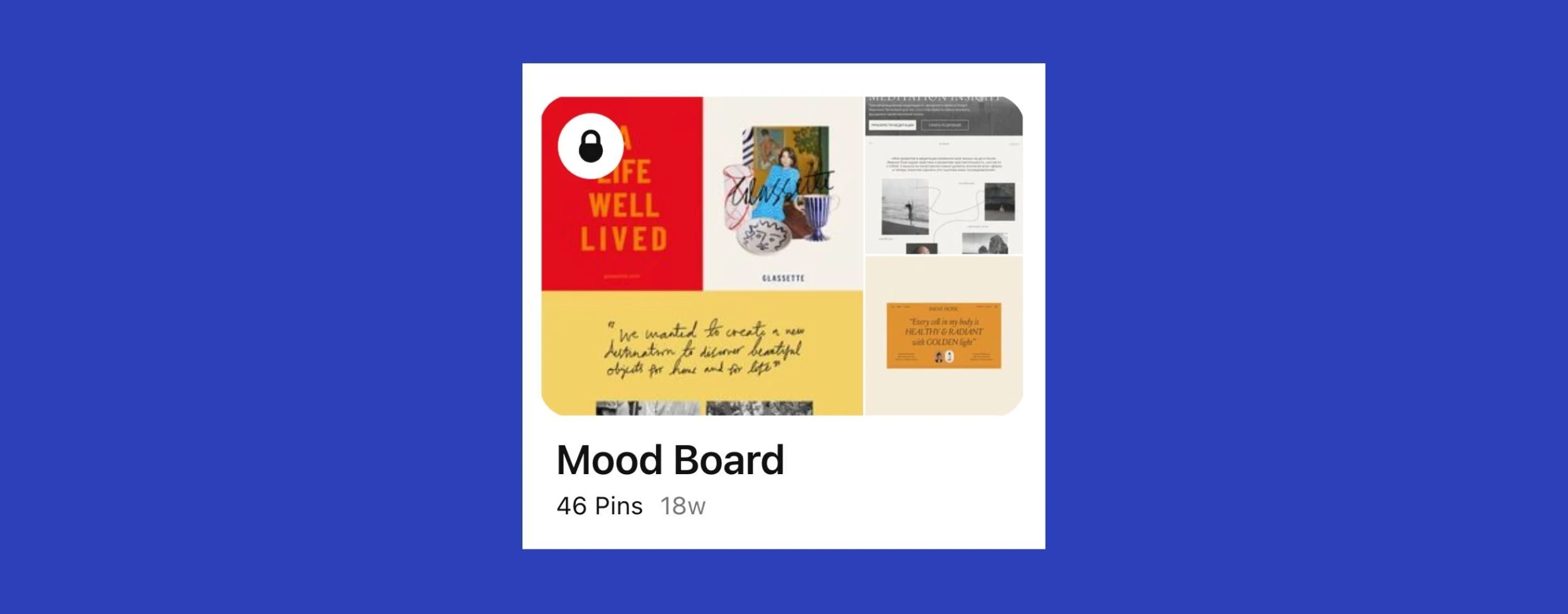
Add notes to your pins
To communicate something that you specifically like about an image, leave me a note on that pin!
For steps on how to do this, see this Pinterest article ↗.

Look for the Add note button. If you can’t see this button at the time of saving, visit your board afterwards.
How much should you pin?
Pin as much as you like — the more, the better. To start, aim to pin at least 40 ideas.
Include at least:
15 x website examples
5 x colour examples
5 x typography examples
5 x photography/cinematography examples
If you feel compelled to pin more than 30, go for it! For every idea you have, aim to pin at least 5 examples. That’ll help us dive deeper into your choices.
Be sure to also sleep on it too. A great mood board can’t be achieved in a single sitting.
Come back later with fresh eyes to review your mood board and delete any pins that, upon second reflection, don’t solidly sit with your taste and/or brand.
What to pin
📌 Places to start
A good place to start is by looking at the design of other websites, giving you ideas into different web design trends.
Tips:
When you do this, don’t just look at sites within your own industry and profession. People who do this fall into the trap of producing cookie-cutter sites like their competitors.
If you’re a company, think about what look/feel would appeal to your ideal clients.
Don’t feel like you have to follow a design trend. Classic design that lasts for many years is a wonderful choice too.
Ways to get started:
Do a search for web design on Pinterest. The search engine will also suggest other popular keywords. As you save to Pinterest, you’ll notice that the search engine will also recommend to you other ideas below each pin and in your Home feed.
Visit our Tempixel Pinterest profile ↗. I have boards covering web design, portfolios, and production companies.
Other great Pinterest profiles to check out are Awwwards ↗ and Land-book ↗.
Take and upload to Pinterest screenshots of any reference websites you really like: scroll down to learn how to do this. Please include the URL for the site in your pin, so we can easily reference it.
📌 Pin these as well
I 100% recommend that you do not stop at website imagery when creating your Pinterest mood board.
Branch out. Inspiration can come from anywhere! Also see my guidelines on how much to pin.
NB: If you have existing brand guidelines, these are great. We’ll be discussing those as well in the web design process.
fonts/typography — keep an eye out for font styles and arrangements that you dig across various graphic design mediums and sources. E.g. In the past, I’ve found typographic inspiration from movie posters and magazines.
colours — you can browse lots of colour palette ideas on Pinterest, but feel free to pin imagery that shows off the colours you’re drawn to. They could appear in photos of nature, objects, anything.

An example of pinned colour ideas.
screenshots — pin screenshots of other websites: whole sections or specific elements (e.g. button styles, grids, layouts that you like).
photography/cinematography — any photographs or film stills that communicate your interests/ideas. E.g. you may feel particular shots from your body of work convey your flavour/style as a freelancer. Movement in video can also be a great source of inspiration.
other art forms — e.g. paintings, graphic design, dance, architecture.
shapes/patterns/textures — to show you what I mean, below is a peek inside a mood board I’m creating for a website I’m working on.

How to pin ideas from outside Pinterest
I find both of these methods are easier to do on a laptop than on a smaller device.
Save to Pinterest Chrome extension
Pinterest has its own Chrome extension, which you can install here ↗. It’ll allow you to save most images directly from the site you’re viewing.
Once you’ve signed in to the extension, look for the little Pinterest ‘Save’ button when hovering over an image. You’ll then get the option to save to a specific board (pictured).
Manually create a pin
If you’ve taken screenshots from reference websites, use this method to save them to your board. You’ll need to have your image/video already saved to your computer ready for upload.
For instructions, see this article by Pinterest ↗. Please include a link to the site when creating your pin for easy referencing.
How to invite a collaborator to your board
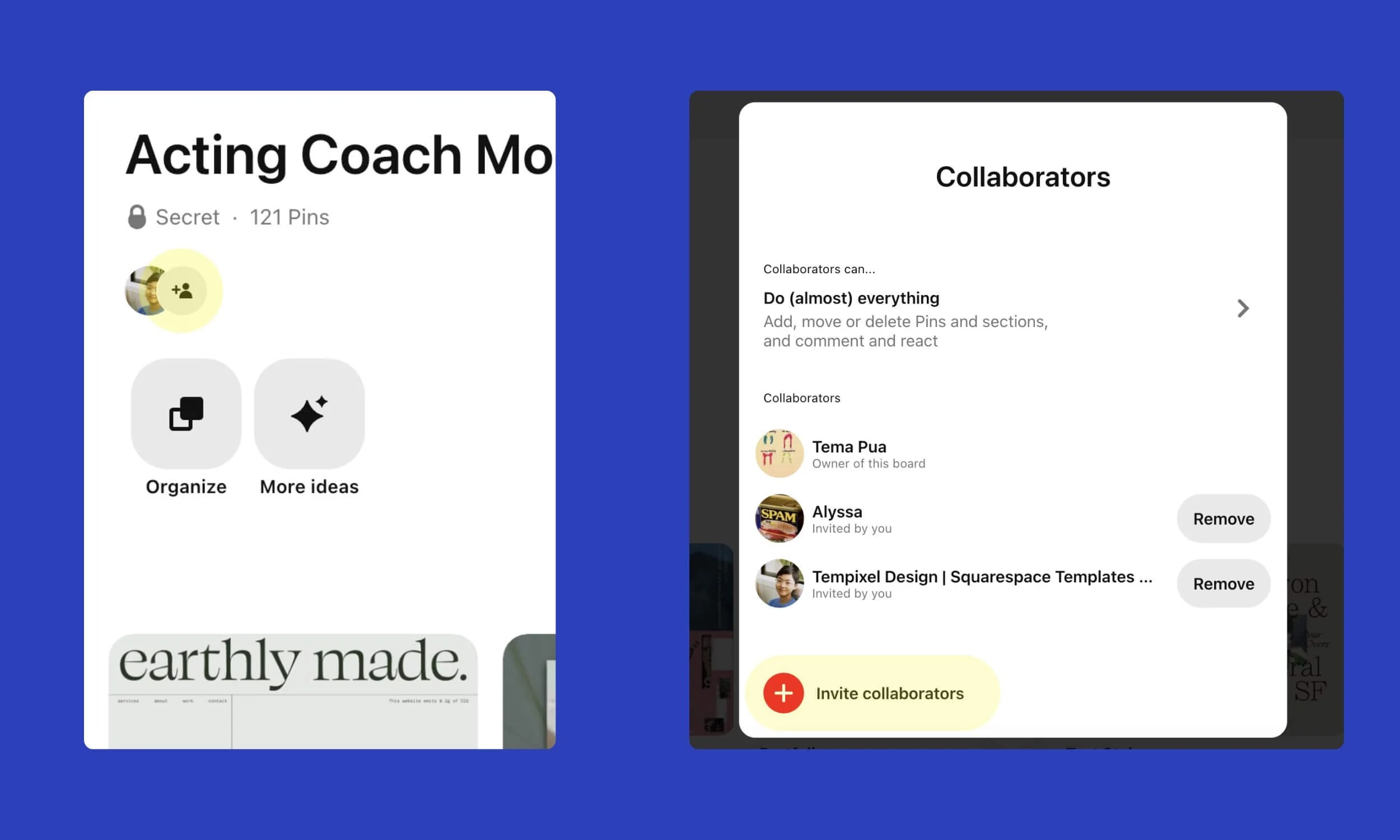
Once you’ve finished creating your mood board, you’ll need to share it with me by inviting me as a collaborator.
The easiest way to do this on desktop:
Click the Invite collaborators icon below the title of the board.
Then, click Invite collaborators at the bottom of the window.
Copy the link provided, and email it to me.
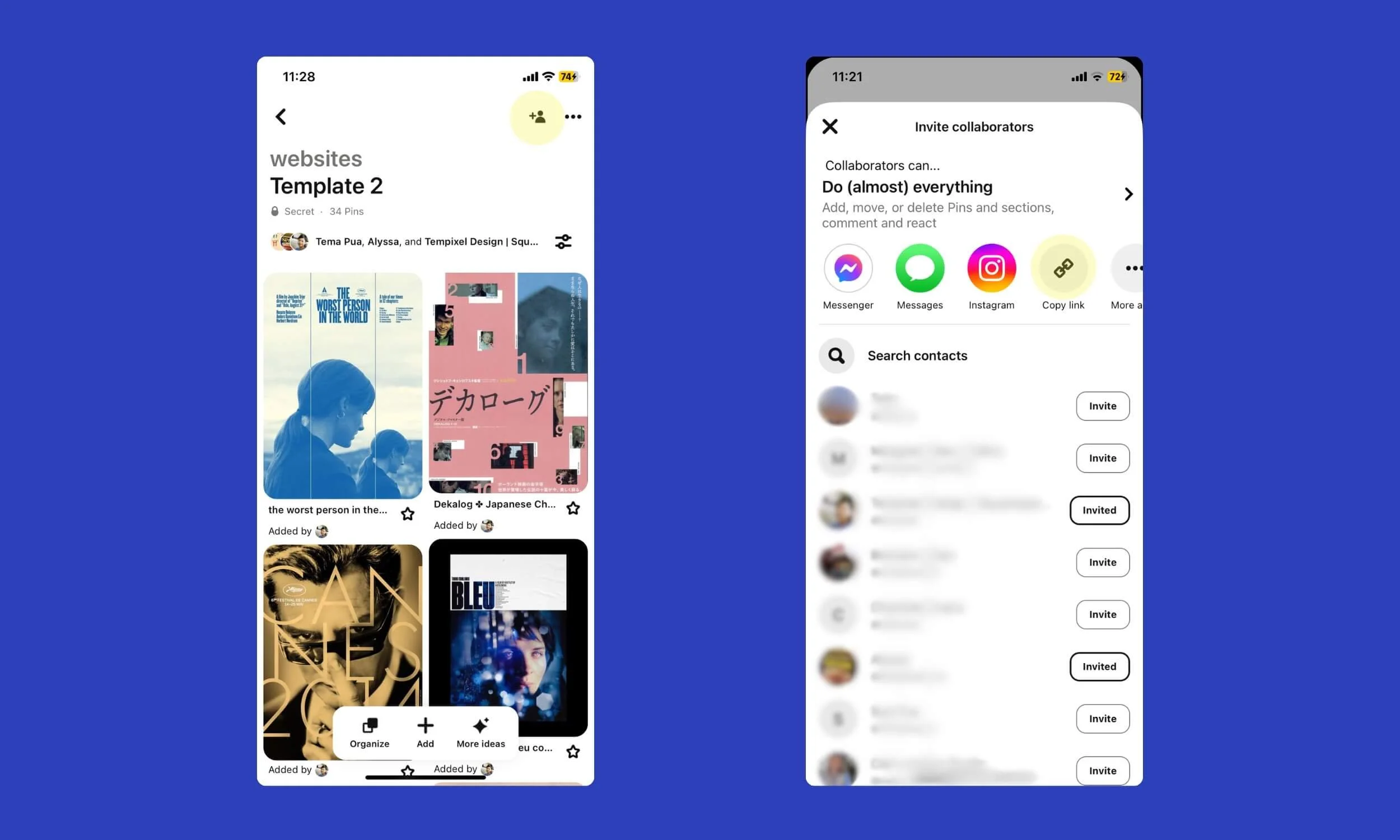
On mobile, adding a collaborator is not so obvious to find.
What you need to do is tap the Invite collaborators icon, symbolised by a person with a plus sign.
Click Copy link.
Email the link to me.
There you have it—a guide to creating an inspirational mood board for your website project. Don’t stress it and have fun 😊.
Ready to level up your Squarespace website even further?
Leave your website in expert hands
ARTICLE FIRST PUBLISHED: 10 Apr, 2024
