
Squarespace Releases New Cookie Banner for All Sites
On July 10, a new cookie banner became available to all Squarespace sites. The updated banner makes it easier for site owners to collect and manage consent for first-party and third-party cookies.
Keep reading to learn more about Squarespace’s revamped cookie consent banner!
How the new cookie banner looks on Tempixel’s website.
In this post:
Building your own website? Grab my free Squarespace website template for filmmakers 🎁
Until this update, IMHO it felt that Squarespace had fallen behind the online privacy movement, even to the point of not caring about this global issue. Please note, this is just my personal perception and not necessarily a true reflection of Squarespace’s actual views.
Compliance with privacy laws is the onus of Squarespace site owners to be fair—many of whom are DIYing their own site. As such, many won’t be aware of data privacy issues because they don’t have a web designer or developer who can talk to them about it.
And the likelihood of site owners neglecting data privacy—and at risk of being penalised for breaches, depending on their location in the world—is only higher when their site builder isn’t offering adequate built-in tools.
Which is why it’s great to see Squarespace is making a welcome and much-needed step forward in the right direction.
Having these new features should do more to encourage creatives and businesses to think about data privacy in today’s world.
A word of caution: this update doesn’t guarantee 100% compliance with stricter privacy laws, such as the GDPR and ePrivacy Directive, and Brazil’s LGPD.
Purpose of the cookie banner update
With this launch, Squarespace’s focus has been to create an improved version of the cookie banner in the areas of design, third-party cookies, and cookie categories.
In their words ↗:
Advanced consent management tooling, or other privacy-related changes like how we load website fonts, aren't in scope for this update.
So, the new banner isn’t meant to be as comprehensive as specialised cookie consent management tools that you pay for. In the above, Squarespace has said that they have yet to address the loading of Google Fonts without consent, for instance.
New manage consent options
The big difference to the previous cookie banner iteration is the new option to allow visitors to manage their cookie preferences.
Where to find consent settings for both Squarespace 7.1 and 7.0:
Settings > Website > Cookies and Data Privacy
From this panel, you can enable or disable a cookie banner on your site.
Website owners can choose to display a Manage, Accept and/or Decline button, compared to the binary opt in/out options of the old banner. Declining will opt a user out of non-essential cookies.
You can also customise the label for each of these buttons. Note that long labels will look kinda crowded or be cut off depending on the banner style (see examples below), so it’s best to keep labels short.
Long button labels when banner is set to a pop-up style.
Long button labels getting cut off when set to bottom banner position.
New Manage Cookies window
Clicking the Manage button will bring up a Manage Cookies pop-up. With the July update, it’s much easier to communicate to users what types of cookies ↗ are placed when a user interacts with your site, what purpose they serve, and allow visitors to give or refuse consent.
In the pop-up window, Squarespace has categorised cookies and similar technologies into 3 purposes:
Necessary (always on) — i.e. preference / functionality cookies
Performance and Analytics — e.g. manages cookies dropped by Google Analytics and Squarespace Analytics, etc, and includes SQSP cookies that optimise site performance
Advertising — depends on your third-party integrations, but YouTube’s tracking cookies probably fall under this category
Right now, you can’t customise the copy of the Manage Cookies pop-up. According to Squarespace:
We’ve heard feedback about the desire to customise this text, but for now, we’re keeping it as-is to ensure the consent signals we’re sending are accurate for the description that the visitor is opting into.
I think this is a pretty sensible choice, given that writing copy for cookie consent management isn’t in the average Squarespace subscriber’s wheelhouse.
✏️ Where site owners can customise the text is for the main disclaimer. And you will need to fine-tune this standard notice depending on your consent buttons and button labels if modifying the defaults.
Updated third-party cookies
Squarespace will prevent third-parties from dropping non-essential cookies onto visitors’ devices until they’ve clicked Accept.
Meanwhile, necessary cookies won’t be restricted by the cookie banner.
Squarespace has made improvements to how sites will handle third-party cookies that originate with major providers.
For example, the new banner will automatically integrate with Google Analytics and Meta Pixel’s “consent modes”. So long as you’ve integrated ↗ these through the API keys panel.
The cookie banner update is NOT 100% coverage of all third-party integrations. To quote Squarespace, as they explain it better than I can:
There isn’t a “one-and-done” solution to third-party cookies that blocks third-party cookies across the board while preserving full site functionality. We reviewed all of our major content block and third-party integrations, and aimed to prioritise coverage for those that:
- Are among our most-used integrations
- Currently drop non-essential third-party cookies.
Admittedly, a list of which third-parties have been addressed in the July update would’ve been really useful, but if one exists publicly, I haven’t found it.
Consent mode for YouTube cookies
Most relevant to companies and workers in film, TV and theatre (my people 👋) are YouTube tracking cookies. These are the cookies YouTube uses to, for example, serve up video recommendations when visitors are watching YT videos on your site.

I’ve got a tutorial on how to embed YouTube videos with Privacy Enhanced Mode over here, which stops YouTube from dropping cookies.
But, if your site has a lot of videos, enabling a cookie banner can save you precious time.
What you’ll need to do is allow visitors to either Decline or Manage cookies to automatically integrate Privacy Enhanced Mode when you’ve added a video via video blocks.
New cookie preferences pop-up
There’s now a Saved Preferences option to allow your site visitors to change their cookie preferences at any time.
If enabled, after a user chooses their cookie preferences, a Cookie Preferences link will appear as a subfooter or pill below your footer. You can customise the name of the link as well.
Subfooter example
I found that the subfooter melded better into the design of Tempixel’s site, as the pill will layer on top of the footer.
Pill example — but it could be remedied by adding more space at the bottom of the footer.
More GDPR-friendly than the old banner, it gives visitors the power to withdraw their consent.
My one concern is that site visitors may not know where to find the Cookie Preferences link. Therefore, in making my banner, I wrote into my cookie notice: “Change your preferences at any time by visiting Cookie Preferences in our footer”.
That is, IF they read it in the first place. Quite possibly, if they’re looking for the link, they’re the kind of person who would glance over a cookie banner.
This sounds like me 😆. While I don’t normally have the time to read them-read them, I will manage my preferences, unless I’m in a hurry because I don’t like being tracked by advertisers. It takes me, like, 15 secs.
New banner styling options
We’ve got a lot more styling options with the updated Squarespace cookie banner. Now that we have more no code features to prettify cookie banners, that creates less of a barrier for site owners using them.
As the styling settings are spread out, and may be a bit confusing to locate, let’s talk about where to find them.
Where to edit the position + disclaimer text size
Both SQSP 7.0 and 7.1 gives you 6 banner/pop-up positions to choose from.
If your site is built on 7.1, you can choose the position and change the disclaimer font size from the Styles > Accessories > Cookie Banner panel.
If your site is an older 7.0 site, visit Settings > Website > Cookies and Data Privacy.
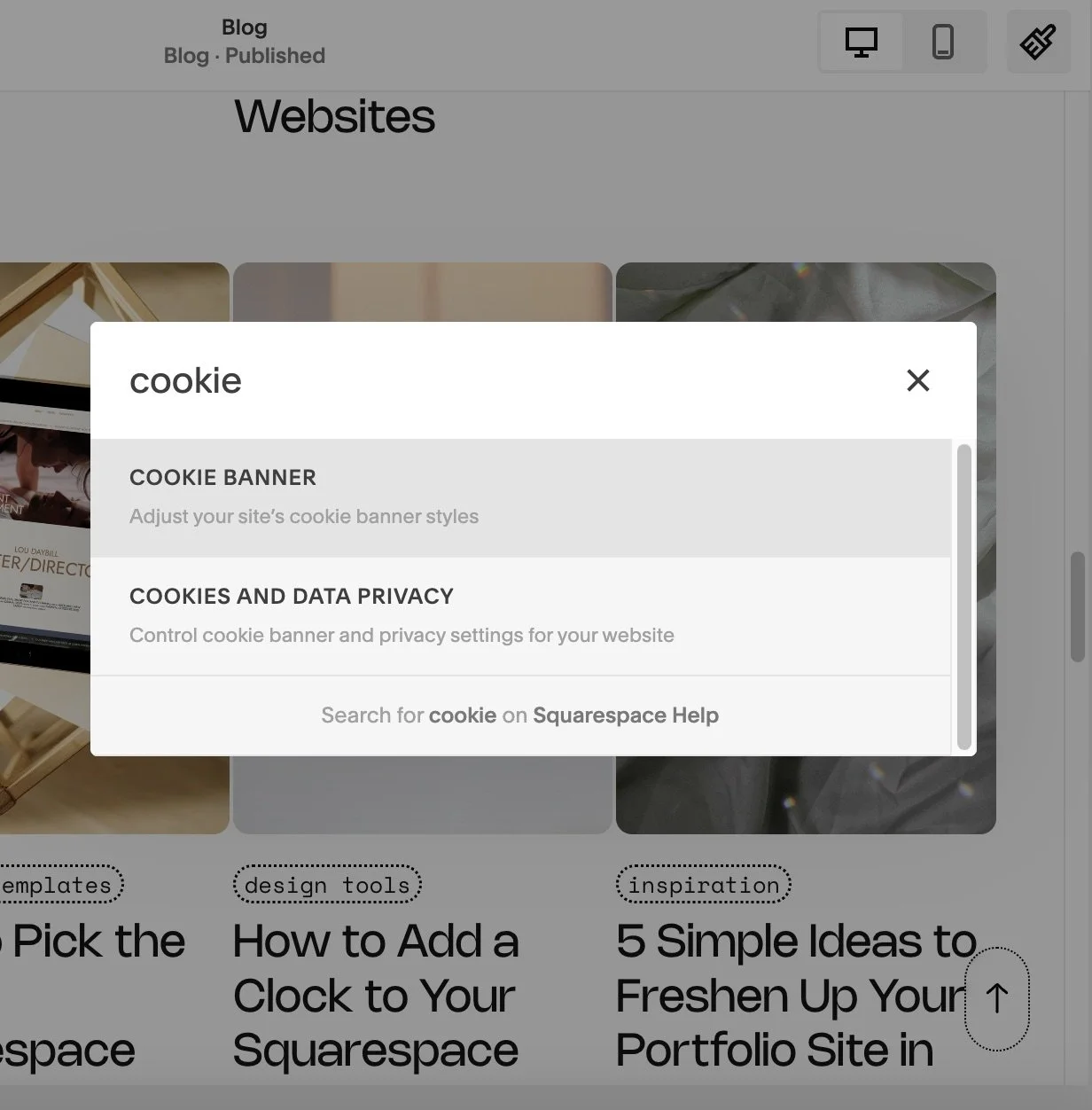
Shortcut Tip:
SQSP is frequently moving around settings in the backend. To find a setting faster, as long as you’re not inside the editor, hit the forward slash key ( / ). This will bring up a search box.
Where to edit cookie banner colours
Colour themes now apply to the cookie banner for Squarespace 7.1 sites!
This opens up a lot more no code possibilities for matching your cookie banner with the rest of your site’s aesthetic, which is awesome.
To change your cookie banner theme, go to the Styles > Accessories > Cookie Banner panel.
You can also change the toggle colours. I had to dig these out and, finally, found them under Styles.
Go to Site Styles > Colours > select the colour theme of your cookie banner > scroll down to Toggle, which is below the Button options.
Toggle has quite conveniently been grouped with button colours. So, make those changes while you’re here as well.
In this panel, you can also adjust the colour of your paragraph text and background colour. Or, opt for a more suitable colour theme to save time.
Just remember that these are global changes 🌏 that will affect all parts of your site, which use the same colour theme as your cookie banner.
The banner style upgrade doesn’t apply to version 7.0 sites.
Your only built-in choices remain either a Light or Dark theme. Find these options under Settings > Website > Cookies and Data Privacy.
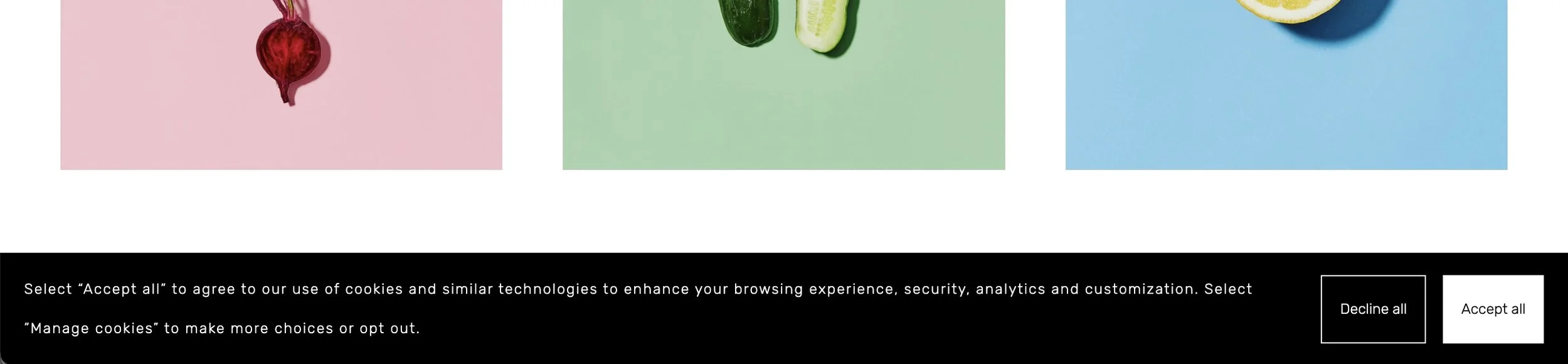
Dark theme applied to cookie consent banner in Squarespace 7.0 (Brine).
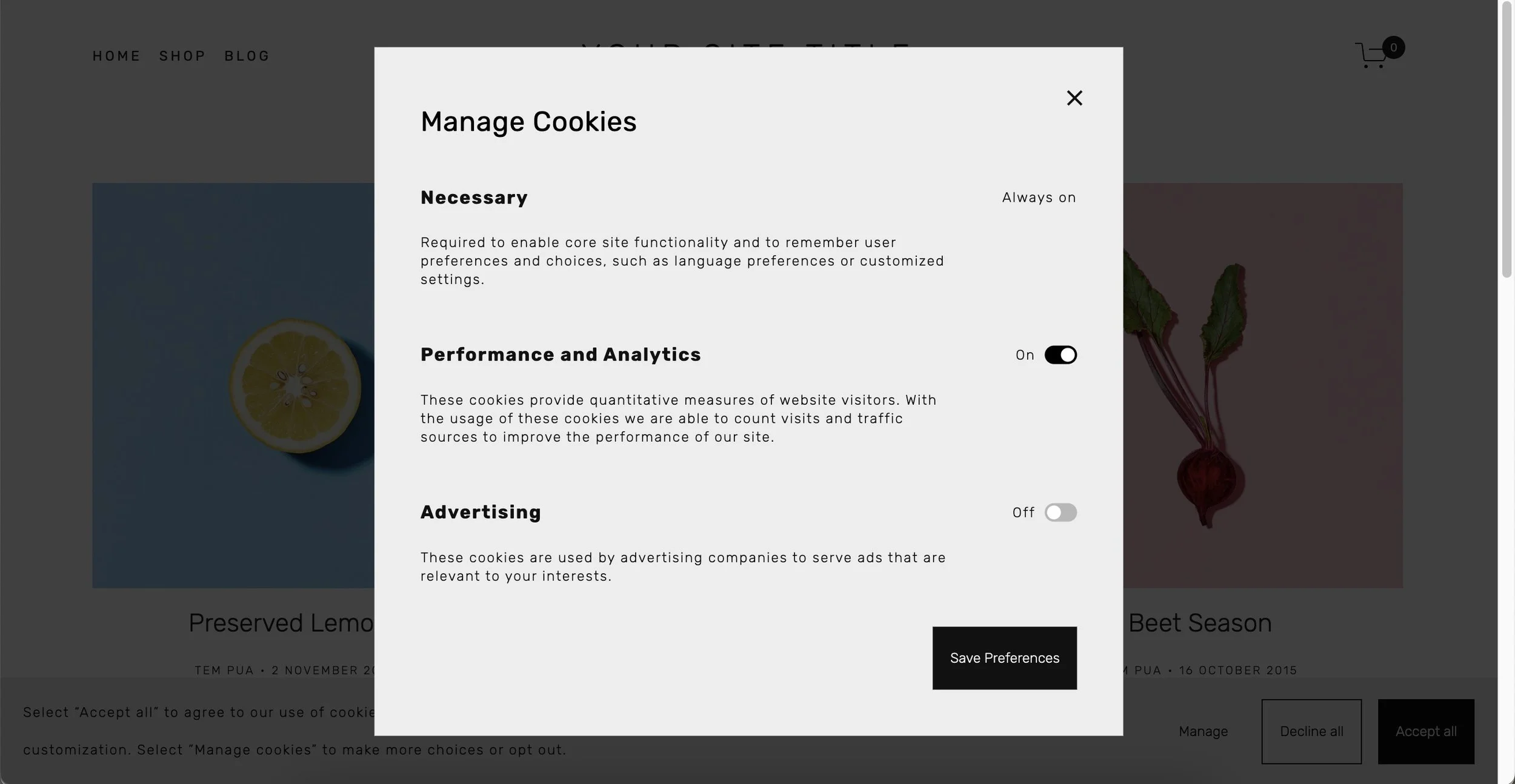
Light theme applied to Manage Cookies in Squarespace 7.0 (Brine).
🤔 Thinking about moving to Squarespace 7.1, check out my review of Squarespace’s migration tool.
Where to edit your cookie banner buttons
If you want to change everything about the appearance—minus the colour—of you cookie banner buttons in Squarespace 7.1, you’ll need to head into Styles > Buttons.
Here you can change the text, shape and outline of your button styles.
Squarespace has mapped the banner buttons as follows:
Primary = Accept button
Secondary = Decline button
Tertiary = Manage button
During testing, seeing all 3 styles in a row, was a good opportunity for me to do a wee refresh of my button styles 😅!
This mapping is locked in, so if your buttons need a revisit, it’s a good time to do it.
With Squarespace 7.0, styling is limited. The style settings you make on button blocks, won’t impact your banner buttons.
Legacy cookie banners
If you’re not ready to update your cookie banner for whatever reason, Squarespace has preserved the text and buttons of legacy banners.
For example, you still have the ability to provide only an Accept button. To new site owners, I recommend having at least buttons to Accept and Decline to really give visitors the choice to consent or say no, thanks.
If your existing banner looks odd, this may happen if a web designer has worked on your site and added custom CSS to style it.
Wrap-up
While I’m not a cookie technology expert, from what I’ve read, a SQSP cookie banner that offers Accept, Decline and Manage options could sufficiently manage a multilingual site embedded YouTube videos and has Weglot and Google Analytics integrations.
A lot of theatre and film websites will be handling a similar amount of first-party and third-party cookies as this example.
For users based in EU countries where privacy laws are stricter, if you want to stick to the safe side, a dedicated third-party cookie consent tool will serve you better.
Squarespace recommends considering third-party cookie consent management tools or talking to a professional for specific advice if you’re using third-party cookies.
But all-in-all, with this cookie banner update, Squarespace has become a little more privacy-friendly.
Considering how long it took, I hope we won’t have to wait years for the next one.



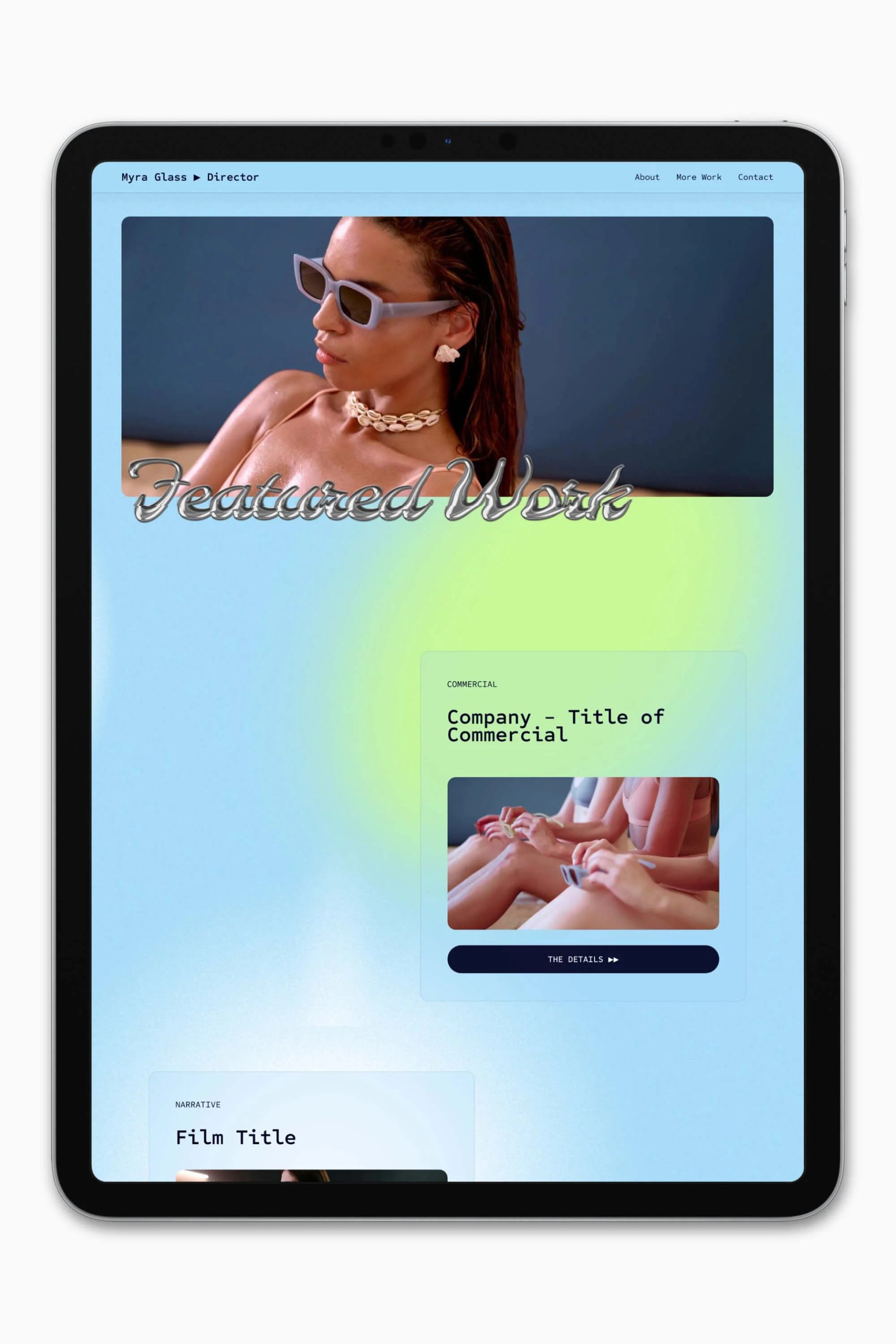


Slate is a website template featuring a bold-minimalist and cinematic design that feels warm and confident. Like the perfect cuppa coffee when you’re on set, use this Squarespace template to give your website and personal brand a boost.
Visit Demo Site
(demo password: Unlock)
Price in NZD • Xe Currency Converter